Finding a genuinely free invoice app in 2026 feels like navigating a minefield. You download an app labelled 'Free Invoice Maker' on the Play Store or App Store, spend fifteen minutes inputting your business information, line items, and client email, and tap 'Send'. Instantly, a modal pops up: 'Your free trial has ended. Enter your credit card to unlock PDF export.'
As a solo freelancer earning between $500 and $10,000 per month, paying $20 to $40 every month just to send two or three PDF documents to recurring clients is absurd. We downloaded, set up, and stress-tested 8 leading invoice tools to uncover their actual free tier limitations, hidden paywalls, and watermark traps.
TL;DR — Which Free Invoice App is Actually Best in 2026
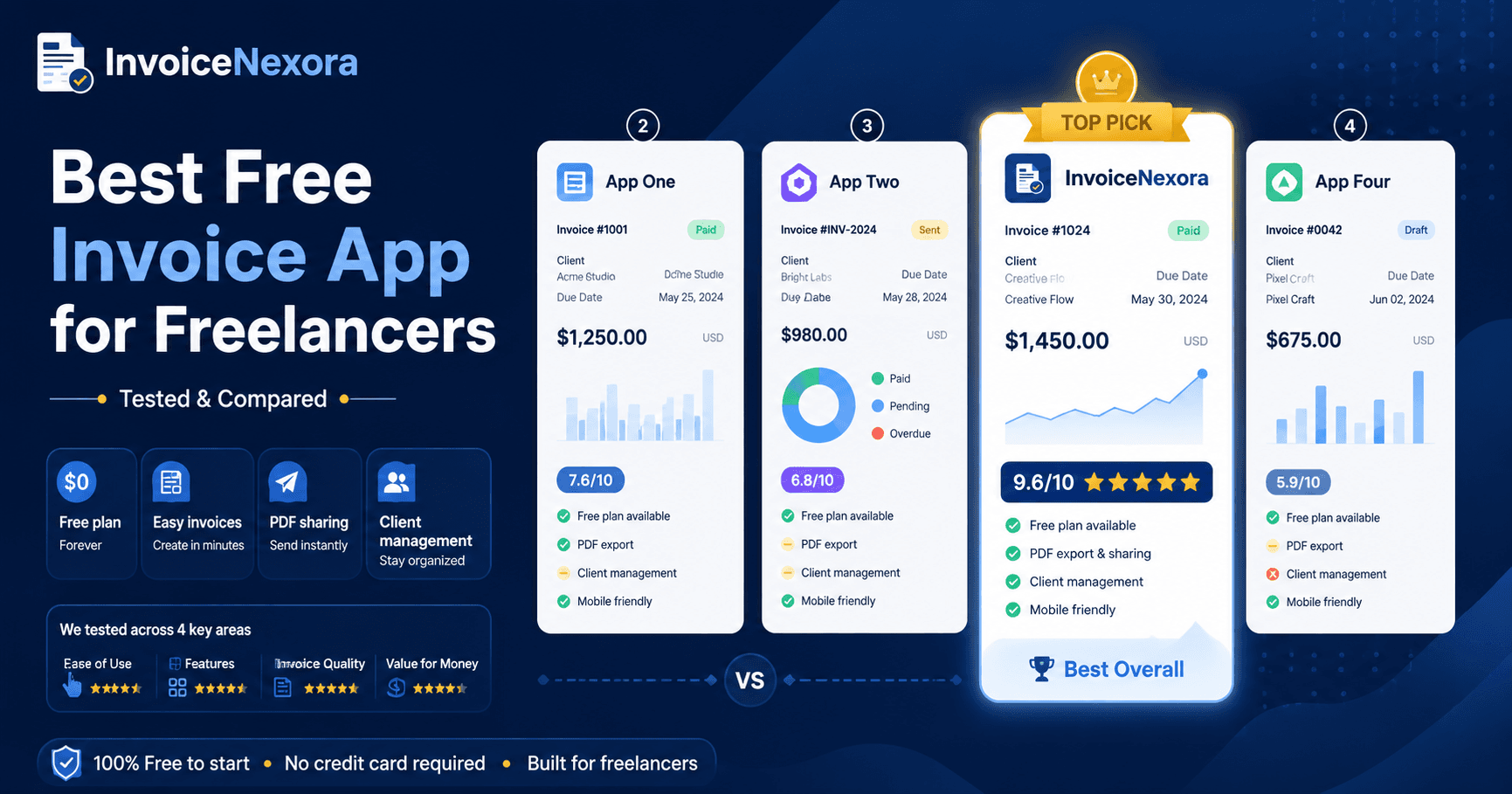
- Best Overall for Solo Freelancers: InvoiceNexora (100% free unlimited invoices, no credit card required, works offline, native Android app, clean vector PDFs).
- Best Runner-Up (Ecosystem & Web): Zoho Invoice (Genuinely free up to 5 clients, extensive web portal, but part of a complex enterprise suite).
- Most Aggressive Paywalls: Invoice Simple (limited to 3 lifetime invoices before a $20/month paywall) and FreshBooks (14-day trial only, no permanent free tier).
- Worst for Data Privacy & Ownership: Cloud-only tools that lock you out of your historical invoice PDFs when your subscription lapses.
Why Most 'Free Invoice Apps' Aren't Actually Free
Software companies spend thousands of dollars on Google and Play Store search ads targeting the keyword 'free invoice maker'. Because customer acquisition costs are high, almost every app uses one of four deceptive conversion funnels:
- 01The Artificial Monthly Cap: Apps like Invoice Simple and Bookipi allow you to create 1 to 3 invoices for free. The moment you need to send a 4th invoice during a busy billing cycle, your workflow is locked behind a $15-$25/month recurring paywall.
- 02The Auto-Renewing 30-Day Trial: You are asked to enter Apple Pay, Google Play billing, or a credit card upfront for a 'free trial'. If you forget to cancel before day 29, you are billed for an entire annual subscription.
- 03The Watermark Embarrassment: Several free generators stamp a giant gray 'CREATED WITH FREE APP' watermark across the center of your client-facing PDF, undermining your professional authority.
- 04The Downgrade Hostage Trap: If you test a paid plan and downgrade, the app revokes access to past client records, financial reports, or previous invoice downloads.
How We Tested: Our 6 Evaluation Criteria
To evaluate invoice apps objectively, we created identical freelance billing profiles (a web developer billing a client in New York for $3,500 across 3 milestone line items) and graded each tool against six strict benchmarks:
- True Free Longevity: Does the app offer a permanent free tier, or does it expire after 14 or 30 days?
- Payment Details Upfront: Can you create and download an invoice without submitting credit card or billing details?
- Document Quality: Does the generated PDF render with high-DPI vector precision, clean typography, and zero obtrusive diagonal watermarks?
- Time-to-First-Invoice: Can a freelancer install the app, populate line items, and generate a client-ready invoice in under 90 seconds?
- Multi-Currency & Payment Methods: Does the app allow custom currency symbols and clean payment instructions (IBAN, Wise, PayPal, crypto)?
- Offline Capabilities: Can the app function and generate documents when you have no internet connectivity?
#1 InvoiceNexora — The Actually-Free Option for Freelancers
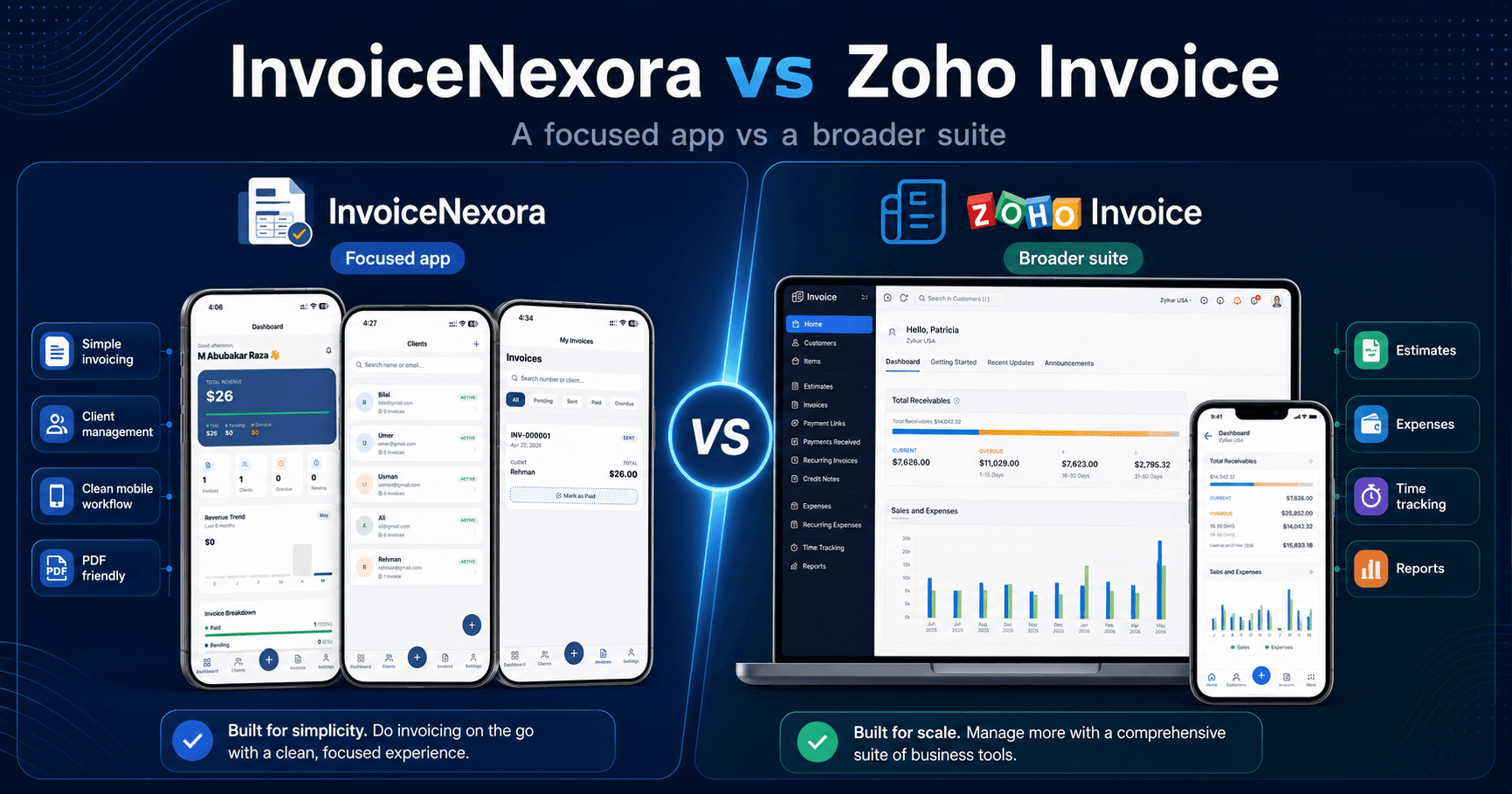
InvoiceNexora was engineered specifically to solve the frustration of fake free tiers. Unlike venture-backed platforms that prioritize predatory upsells, InvoiceNexora provides a permanently free tier that lets you create unlimited invoices and save unlimited client profiles.
- No Credit Card Required: You can register in 10 seconds or use the app locally without financial friction.
- Unlimited Invoicing on Free: Create as many invoices as your business demands—no artificial 3-document monthly ceiling.
- 7 Free Built-in Templates: Classic, Clean, Minimal, Split Professional, Editorial Minimal, Modern Statement, and Signature are unlocked for all users, generating print-ready vector PDFs.
- True Offline Engine: Powered by local SQLite storage, you can draft, edit, and export complete invoices on airplane mode.
- Direct Share Sheet Integration: Share PDFs directly through WhatsApp, Gmail, Signal, or Slack in a single tap.
An optional Pro tier exists ($9.99/month or $89.99/year) for users who want multi-device cloud synchronization and 9 additional boutique templates (such as Slate, Wave, Luxe, and Executive). But if you only need clean, professional invoices, the Free plan never expires.
#2 Zoho Invoice — Genuinely Free but Enterprise-Heavy
Zoho made headlines in 2021 by making Zoho Invoice completely free. Unlike other commercial competitors, Zoho does not sneak paywalls into the core invoicing product. It supports client portals, multi-currency billing, and automated recurring invoices.
However, there is a catch: Zoho Invoice is designed as an onboarding funnel for the wider Zoho One enterprise suite. The mobile interface is dense, configuration menus require navigating dozens of accounting toggles, and solo freelancers often feel overwhelmed by enterprise settings like chart of accounts, tax authorities, and item SKU codes.
#3–#8 The Rest: Competitor Reality Check
Here is the honest truth about the other prominent invoice apps ranked by freelance market share:
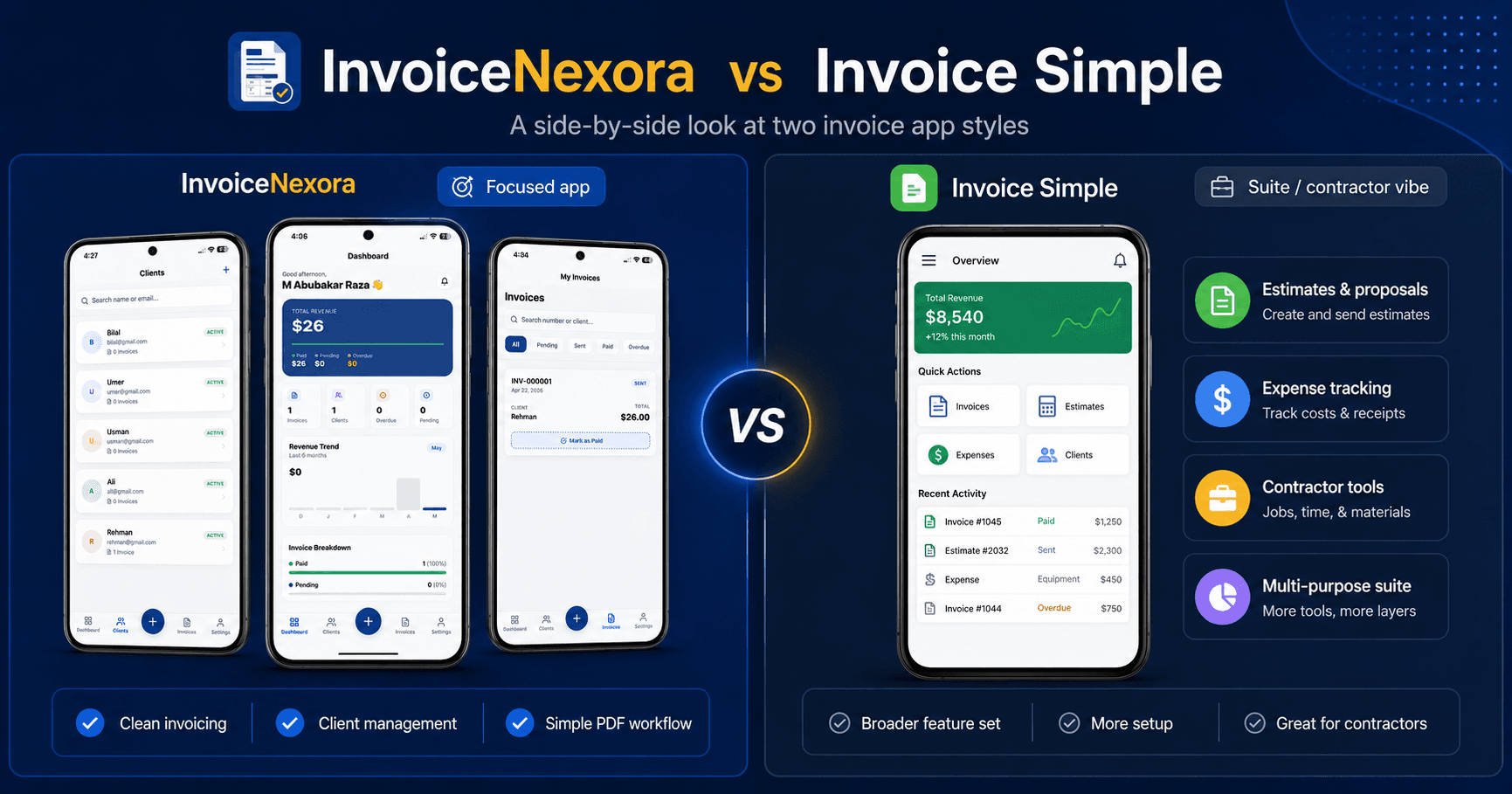
- 01Invoice Simple: Excellent mobile UI, but limits free accounts to 3 total invoices before charging ~$20/month. Best for high-margin field contractors who need Tap-to-Pay hardware, not solo digital freelancers.
- 02Wave Invoicing: Historically the champion of free web invoicing. However, Wave sunsetted its free starter tier in early 2024, gating basic features behind Wave Pro ($16/mo) and restricted availability primarily to North America.
- 03Bookipi: Offers a friendly mobile interface, but caps monthly transactions and aggressively prompts users to upgrade to premium plans.
- 04Invoice2go: Offers polished templates, but provides only a 30-day trial before locking your account into plans starting at $5.99/mo and scaling rapidly to $39/mo.
- 05Invoice Home: Allows quick document creation, but places prominent branding on free documents and limits monthly email deliveries.
- 06FreshBooks: Superb all-in-one accounting software, but strictly paid after a 14-day trial (starting at $19/mo). Overkill for freelancers who just need simple invoice PDFs.
Feature Comparison Table: 8 Free Invoice Apps Tested
- InvoiceNexora: Unlimited Free Invoices | No Card Required | No Watermark | Offline SQLite Engine | Free Forever
- Zoho Invoice: Free (up to 5 clients on portal) | No Card Required | No Watermark | Cloud-dependent | Suite upsell
- Invoice Simple: 3 Invoices Lifetime | Card for Trial | Clean PDF | Online Only | $20/month paywall
- Wave Invoicing: No permanent free tier (Wave Pro $16/mo) | Card Required | Clean PDF | Cloud Only | US/CA restricted
- Bookipi: Limited Free Tier | No Card Initially | Clean PDF | Requires Connection | Feature gates
- Invoice2go: 30-Day Trial Only | Card Required | Clean PDF | Cloud Only | Expensive scaling plans
- Invoice Home: Free with restrictions | No Card Required | Watermarked Free Tier | Web/Mobile | Limited exports
- FreshBooks: 14-Day Trial Only | Card for Renewal | Clean PDF | Cloud Only | $19–$60/month
How to Choose the Right Invoice App for Your Freelance Setup
Your invoicing workflow should mirror your daily work environment:
- If you want speed, zero subscription costs, and offline reliability: Choose InvoiceNexora. You can bill international clients in USD, EUR, or GBP, customize your payment notes, and generate vector PDFs in seconds.
- If you already run your business on Zoho CRM or Zoho Projects: Choose Zoho Invoice. The integration benefits outweigh the complex interface.
- If you are a field tradesperson who needs on-site credit card swiping: Consider Invoice Simple's paid tier with Tap to Pay.
- If you have employees and require double-entry balance sheets: Invest in QuickBooks Online or FreshBooks.
Download the app
Send branded, professional invoices in under a minute.
Mobile-first invoicing for freelancers and small businesses. Templates, clients, multi-currency, and clear payment tracking - all from your phone. This article is only the plan. The app is the shortcut.