If you freelance long enough, you learn a hard truth: clients don't pay invoices that look unserious. A messy invoice plants doubt - about your professionalism, your record-keeping, and sometimes even the work itself. The good news is that writing a professional invoice is mostly a checklist. Once you have the format, you reuse it forever.
This guide walks through every section of a great invoice, what goes where, and the small details that quietly decide whether you get paid this week or six weeks from now.
What a professional invoice actually needs
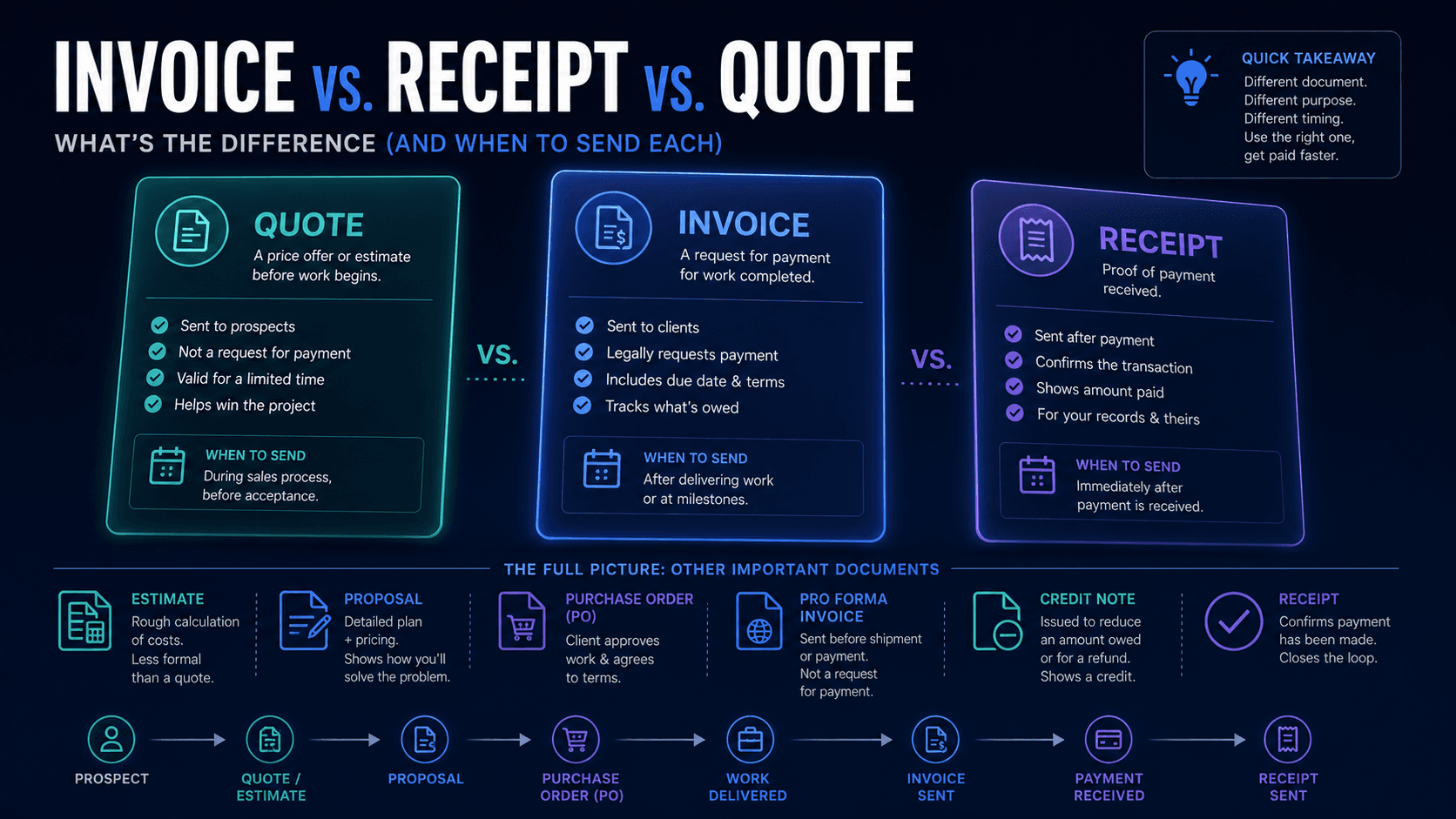
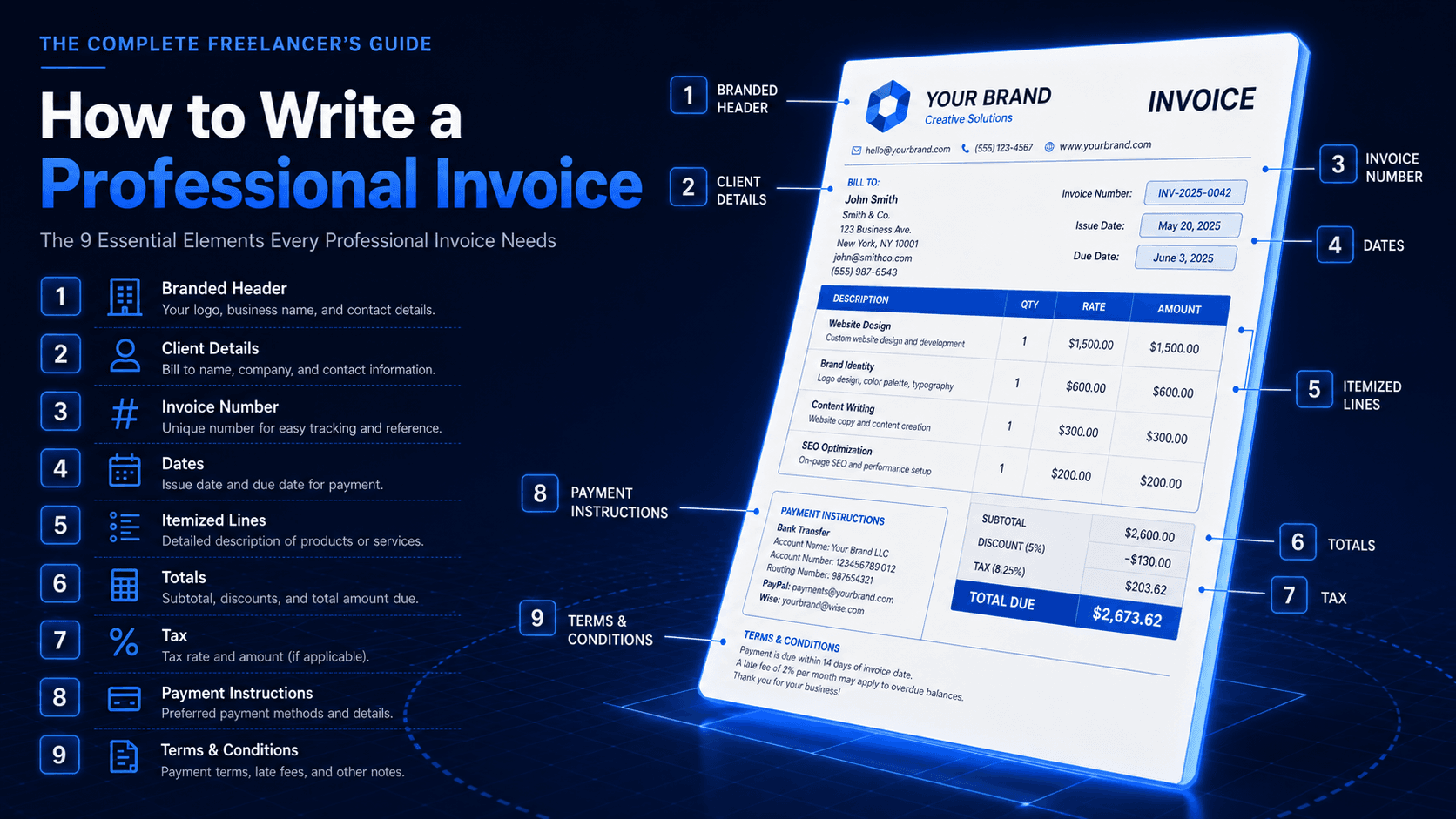
An invoice is a legal document, a receipt, and a sales touchpoint - all at once. Strip it down and a professional invoice contains nine elements. Miss one and you give the client a reason to delay payment.
- 01Your business name and contact details (with logo if you have one)
- 02The client's name, billing address, and contact
- 03A unique invoice number
- 04Invoice date and due date
- 05An itemized list of services or products
- 06Subtotal, tax, discounts, and a clear total
- 07Currency (don't assume - state it)
- 08Payment instructions and accepted methods
- 09Notes, terms, and a thank-you line
Step 1: Lead with a branded header
The top third of an invoice is the trust section. Your client glances at it for two seconds and decides whether this looks like a serious business or a side hustle. Include a logo, your business name, your contact email, and a phone number if you publish one. If you're a sole trader, your full legal name and address belong here. A branded header isn't decoration - it's the difference between a PDF that gets paid and one that gets forwarded to accounts payable to verify.
Step 2: Name the client carefully
Bill the legal entity, not a person. "Acme Studios, LLC" pays. "Maria at Acme" creates ambiguity when Maria leaves. Always confirm the billing name and address with the client before the first invoice. Many companies require a specific PO number, billing email, or VAT/tax ID on the invoice - asking once up front saves a 14-day delay later.
Step 3: Set an invoice number and dates
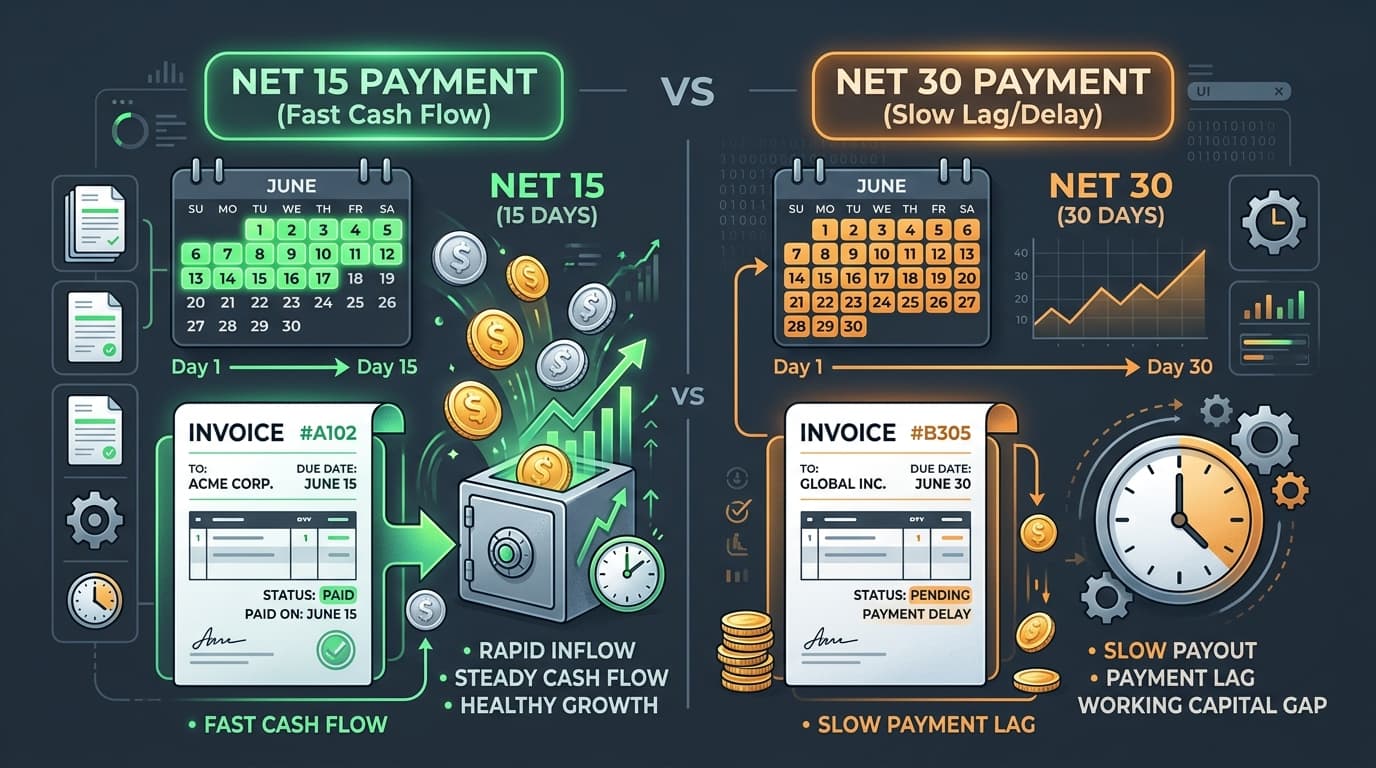
Three dates matter. The issue date is when you send the invoice. The service date is when the work was performed (some jurisdictions require this for tax). The due date is when payment is expected. Don't write "due upon receipt" - it's ambiguous. Write an actual calendar date. A clear due date increases on-time payment rates more than almost any other change you can make.
Step 4: Itemize like you're proud of the work
Vague line items invite questions. Questions delay payment. Each line item should answer three things: what was delivered, when, and how it's measured. Compare these two versions of the same work:
- Bad: "Design work - $2,400"
- Good: "Landing page redesign, 3 revisions, delivered April 18-30 - 12 hours @ $200 = $2,400"
The good version makes approval automatic. Even better, it builds a paper trail that protects you if the scope is later disputed. Every line should include a clear description, a quantity or unit, a unit rate, and a line total.
Step 5: Show subtotal, tax, discount, and total separately
Never combine numbers. Subtotal first. Then any discount (with the discount rate or amount visible). Then tax, with the tax rate and tax amount shown explicitly. Finally, the total in bold. If you bill across borders, also display the currency code (USD, EUR, GBP) - the dollar sign isn't enough. A client in Singapore reading $1,200 needs to know whether that's SGD or USD before they can approve it.
Step 6: Make payment frictionless
If the client has to email you back to ask how to pay, you've already lost a week. Include every payment method you accept and the exact details needed:
- Bank transfer: account name, account number, sort code or routing number, SWIFT/BIC for international
- PayPal or Wise: the exact email or link
- Stripe payment link or card-on-file reference
- Crypto: wallet address and which network
If you can only accept one method, say so up front - on your proposal, not your invoice. Surprises at invoice time cause friction.
Step 7: Add terms, late fees, and a thank-you
A short terms block at the bottom is your protection. State the due date, the late fee (typically 1.5% per month or a flat fee after a grace period), and what currency conversion rules apply if relevant. End with one human sentence - "Thanks so much for the work this month, please let me know if anything looks off" - and you've turned a transaction into a relationship.
Step 8: Save it as a PDF, not a Word doc
PDFs lock in formatting, fonts, and totals. A Word file or spreadsheet can be edited by the client - intentionally or accidentally - and the version of truth becomes unclear. Always send a PDF. Name the file in a predictable way, like InvoiceNexora-2026-014-AcmeStudios.pdf, so both you and the client can find it later.
Step 9: Track it from draft to paid
An invoice you send and forget is an invoice you'll have to chase. Every invoice goes through five real states - Draft, Sent, Pending, Paid, Overdue - and the moment you stop tracking the state, you stop getting paid on time. Use whatever fits your workflow: a spreadsheet, a Notion table, or a focused tool. The bar is low; the discipline is what matters.
The shortcut: a mobile-first invoicing tool
If you're invoicing more than a couple of clients a month, the friction of building each invoice from a template starts to cost you real hours. That's exactly why InvoiceNexora exists - a mobile-first invoicing app for freelancers and small businesses that handles the branded header, the numbering, the tax math, the multi-currency totals, and the status tracking from your phone. You write your line items, pick a template, and send a clean PDF in under a minute.
The format above will get you paid. A tool that does it for you will get you paid faster.
Download the app
Send branded, professional invoices in under a minute.
Mobile-first invoicing for freelancers and small businesses. Templates, clients, multi-currency, and clear payment tracking - all from your phone. This article is only the plan. The app is the shortcut.