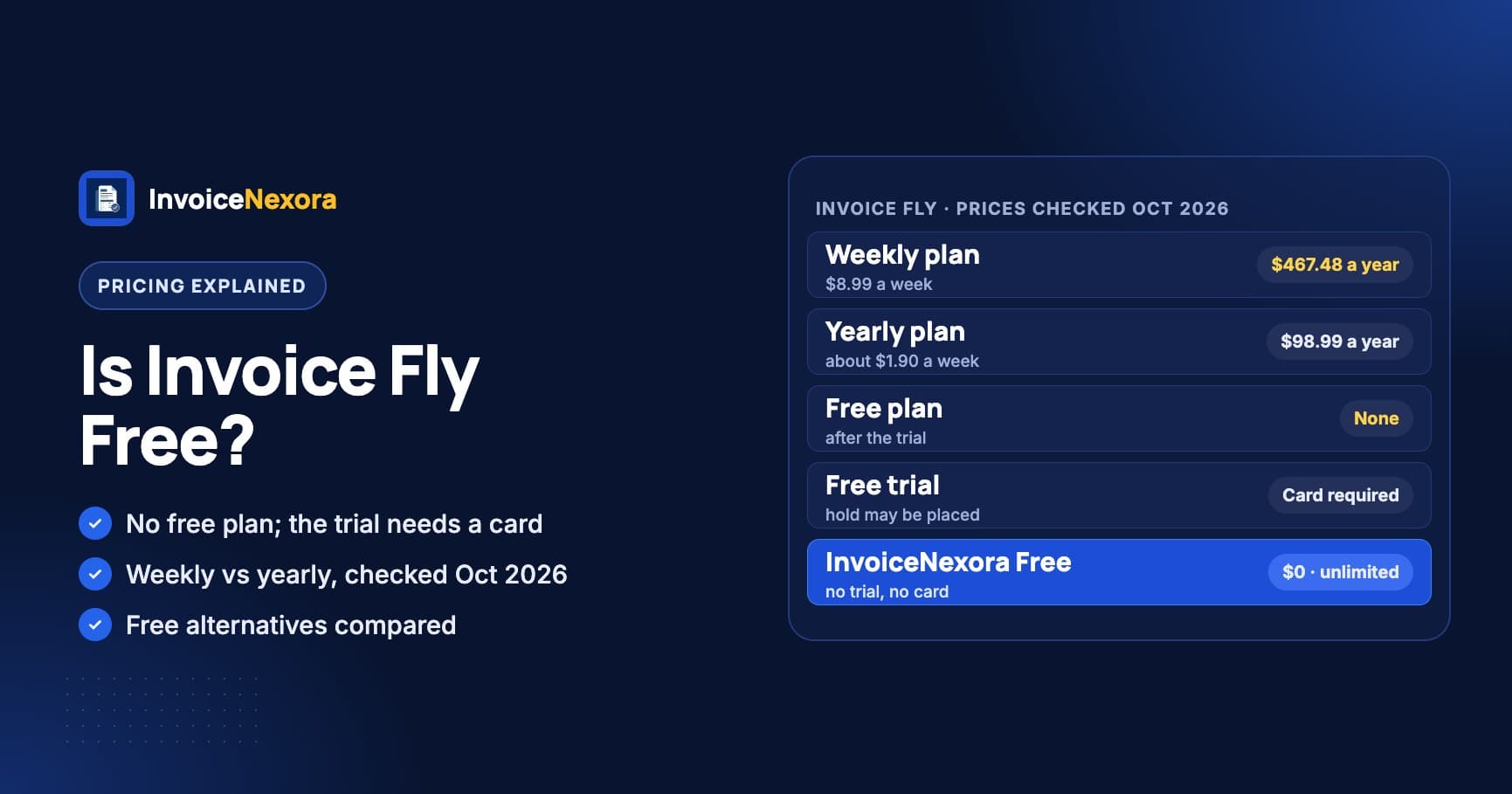
No, Invoice Fly isn't free. The app is free to download and you can start a free trial, but the trial asks for a card, and to keep using the app after it you need a paid plan: $8.99 a week or $98.99 a year. There is no free plan. Prices were checked in October 2026 on Invoice Fly's pricing page and its app store listings.
Invoice Fly Pricing: Weekly vs Yearly
| Plan | Listed price | About per month | Cost over a year |
|---|---|---|---|
| Weekly | $8.99 a week | $38.96 | $467.48 (52 × $8.99) |
| Yearly | $98.99 a year (about $1.90 a week) | $8.25 | $98.99 |
Both plans include the same features. The only difference is how often you pay. The weekly price looks small, but it adds up to almost five times the yearly price over 12 months. Invoice Fly labels the Yearly plan "Save 78%", which matches the numbers above.
How much is Invoice Fly per month?
The website doesn't list a monthly plan. Worked out per month, the Weekly plan is about $38.96 and the Yearly plan about $8.25. The US App Store does list an "Invoice Fly Monthly" in-app purchase at $17.99, alongside weekly items at $8.99 and $9.99 and a "Premium" item at $98.99. On Google Play in the US, the listing shows in-app purchases from $5.99 to $299.99 per item. Which plans you see in the app can depend on your store and country.
Is There an Invoice Fly Free Trial?
Yes. Invoice Fly's FAQ says you need to give a credit card for the free trial. You aren't charged during the trial, but a temporary hold may be placed on the card to check it. If you cancel before the trial ends, the hold is released. The pricing page we checked doesn't state how long the trial lasts, so check the length when you sign up.
- Set a reminder for the day before the trial ends. If you don't cancel, it turns into a paid subscription.
- Deleting the app doesn't cancel the subscription. On an iPhone, cancel in Settings → your name → Subscriptions. On Android, cancel in Google Play → Payments & subscriptions → Subscriptions. On the web, use Settings → Manage Subscription in Invoice Fly (Invoice Fly help).
- If a subscription lapses, Invoice Fly deactivates the account. You can still see your lists of invoices and clients, but you can't open or edit individual documents until you pay again. Download PDFs of invoices you need to keep before you cancel.
What You Get with Invoice Fly
Both plans include the same features, according to the pricing page:
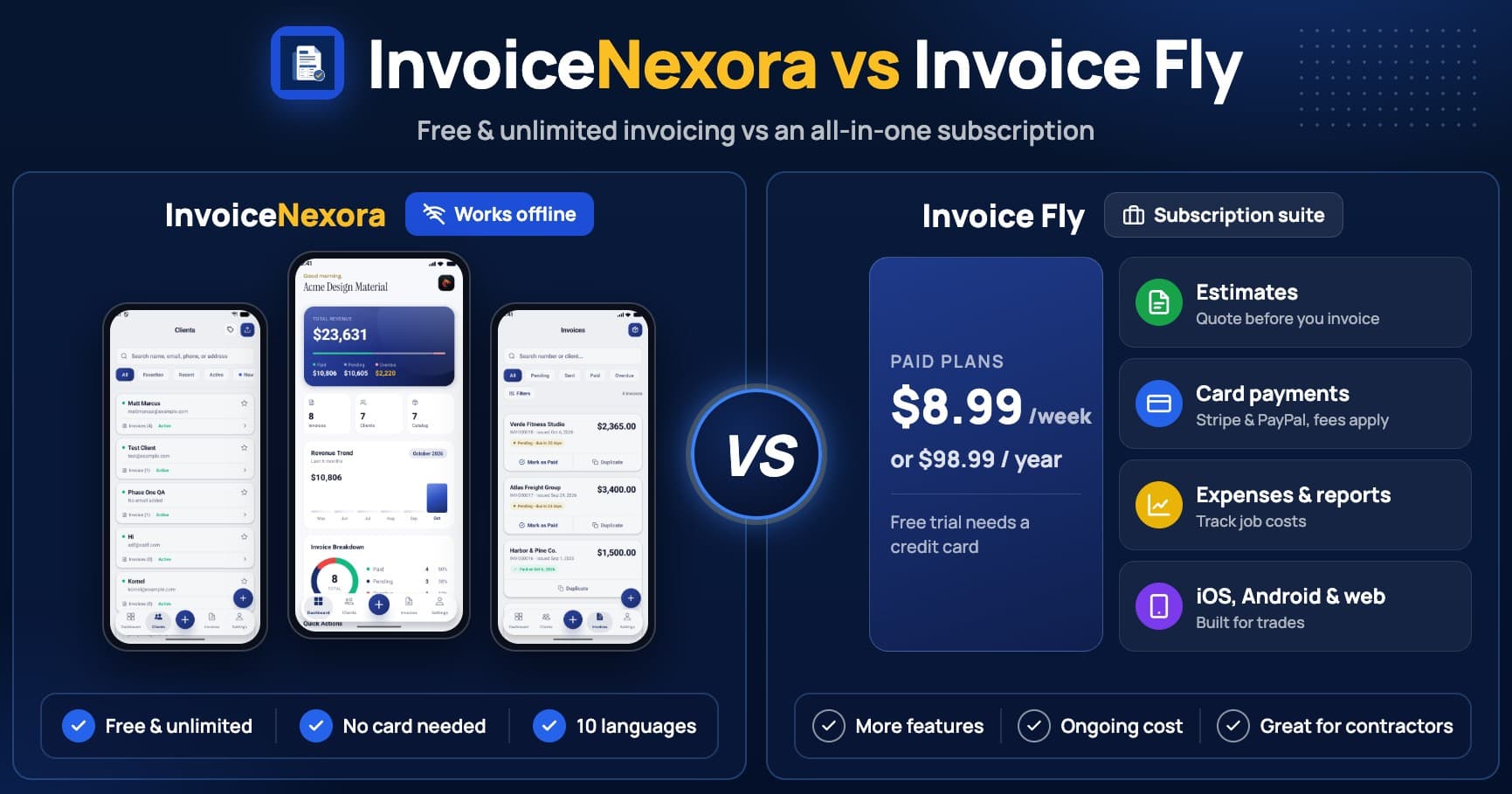
- Unlimited invoices and estimates, with estimates converted to invoices in a tap.
- Customizable templates.
- Card and online payments. Stripe and PayPal charge their own fees.
- An expense tracker and reports.
- The mobile app and notifications, including a notice when your client opens the invoice.
- Apps for iPhone and Android, plus Invoice Fly Web.
Is Invoice Fly Good?
For many users, yes. In October 2026 it was rated 4.8 out of 5 on the US App Store (about 111,000 ratings) and 4.7 on Google Play (about 140,000 reviews). Whether it's worth the price depends on how much of it you use.
| Area | Pros | Cons |
|---|---|---|
| Price | The Yearly plan is about $1.90 a week, with no invoice limit. | No free plan. The Weekly plan costs $467.48 over a year. |
| Features | Estimates, card payments, expenses and reports in one app. | You pay for all of it even if you only send invoices. |
| Payments | Clients can pay by card from the invoice. | Stripe and PayPal fees on each card payment. |
| Platforms | iPhone, Android and web. | The trial needs a card, and documents lock if the subscription lapses. |
Invoice Fly suits trades and service businesses that quote every job, want clients to pay by card on the spot and use the expense tracker. If you mainly send invoices and get paid by bank transfer, you'd pay for features you don't use. Our InvoiceNexora vs Invoice Fly comparison goes through the differences in detail.
Free Alternatives to Invoice Fly
| App | Free plan | Paid plan | Good to know |
|---|---|---|---|
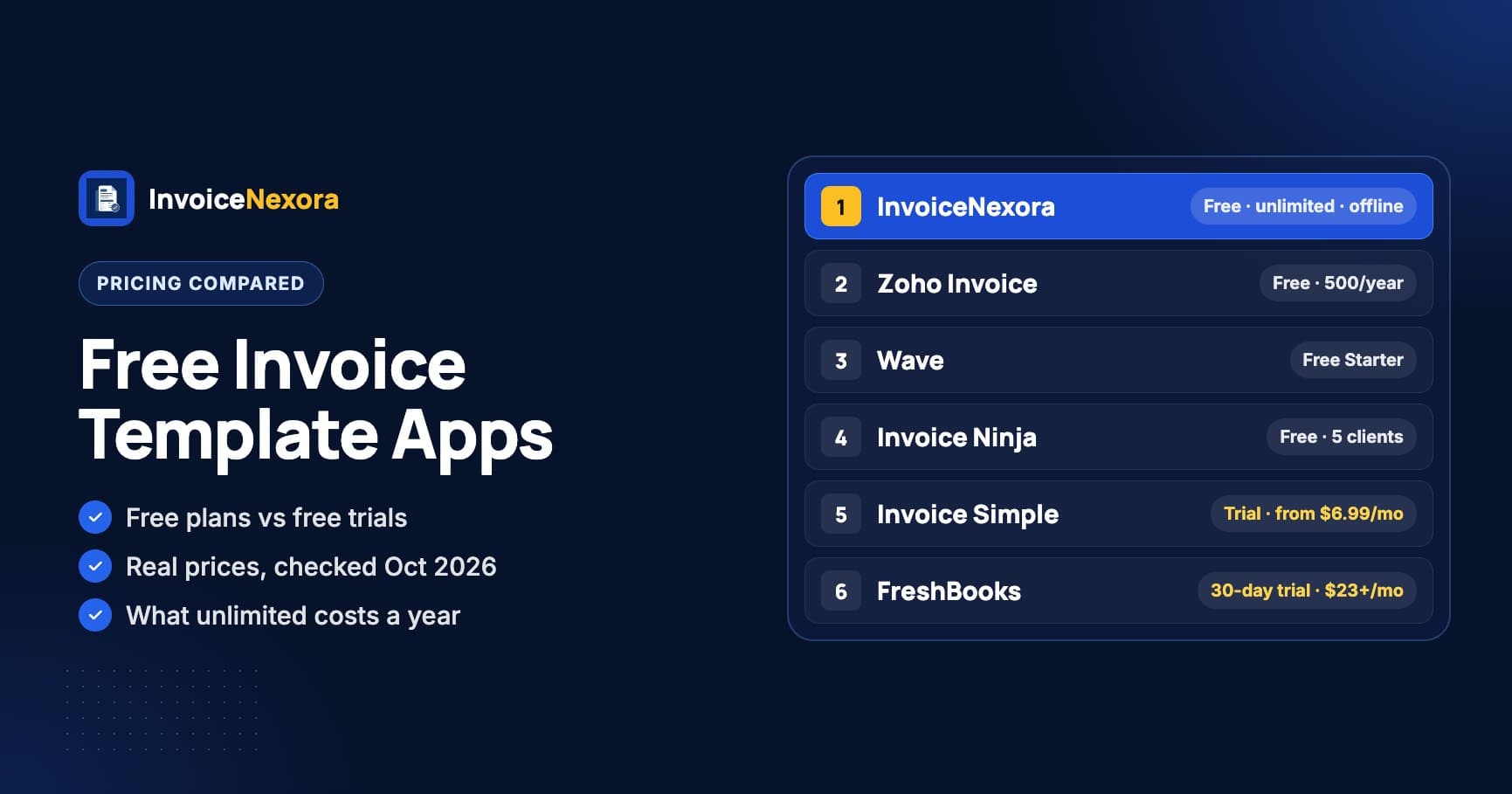
| InvoiceNexora | Unlimited invoices and clients, no watermark | Pro $4.99/month or $39.99/year | Android only; works offline; no card payments |
| Zoho Invoice | Up to 500 invoices a year | Contact Zoho beyond the free limits | Web-based; 'Powered by Zoho Invoice' on free invoices |
| Wave | Starter: unlimited invoices | Pro $19/month or $190/year | Built for the US and Canada; includes bookkeeping |
| Invoice Ninja | Unlimited invoices, up to 5 clients | Ninja Pro $14/month or $140/year | 'Created by Invoice Ninja' on free invoices |
InvoiceNexora's Free plan has no trial and needs no card. It includes unlimited invoices and clients, 7 templates, saved clients and services, automatic invoice numbering, status tracking from draft to paid, any currency and 10 invoice languages, and it works offline. The free app shows ads. Pro ($4.99/month or $39.99/year, billed through Google Play) adds cloud backup, sync across devices, all 16 templates, emailed payment reminders and no ads.
Its limits: it's Android only for now (the iPhone app has a waitlist), it has no estimates or expense tracking, and it doesn't take card payments. Clients pay you directly by bank transfer, Wise or PayPal using the details on your invoice. For more options, see 6 Invoice Fly alternatives and 10 free invoice template apps compared.
How to Choose
- You quote every job, want card payments and track expenses: Invoice Fly, on the Yearly plan.
- You only need it for a few weeks: the Weekly plan, cancelled when you're done.
- You mainly send invoices from an Android phone: InvoiceNexora's Free plan.
- You work in a desktop browser: Zoho Invoice.
- You want free bookkeeping too, in the US or Canada: Wave.
Download the app
Send branded, professional invoices in under a minute.
Mobile-first invoicing for freelancers and small businesses. Templates, clients, multi-currency, and clear payment tracking - all from your phone. This article is only the plan. The app is the shortcut.