Android powers over 71% of the world's smartphones, yet when you search for an 'invoice maker' on the Google Play Store, most results fall into two disappointing categories: clunky, slow web-wrappers that crash without Wi-Fi, or direct iOS ports that ignore fundamental Android design guidelines.
Whether you work on a flagship Samsung Galaxy device or an affordable Xiaomi or Infinix smartphone in an emerging market, your business tools should launch instantly, respect your device battery, and work seamlessly without requiring high-speed 5G connectivity.
What Makes a Truly Great Android Invoice App?
Many developers build an iOS application first and then wrap it in a generic cross-platform container for Android. A truly native Android invoice app must meet four technical standards:
- 01Material Design 3 (Material You): Intuitive bottom navigation, proper elevation hierarchies, dynamic color support, and clean dark mode rendering that saves OLED battery life.
- 02Lean APK Footprint (<25MB): An invoice app should not consume 150MB of internal phone storage or require constant multi-gigabyte cache clears.
- 03Broad OS Compatibility (Android 7.0+): Millions of working freelancers across Southeast Asia, South Asia, Africa, and Latin America use budget Android devices running Android 8, 9, or 10. Requiring Android 14 cuts off real businesses.
- 04Native System Share Sheet: When an invoice is ready, you should be able to dispatch it directly through WhatsApp Business, Telegram, Gmail, or Google Drive in a single tap without downloading files to messy download folders.
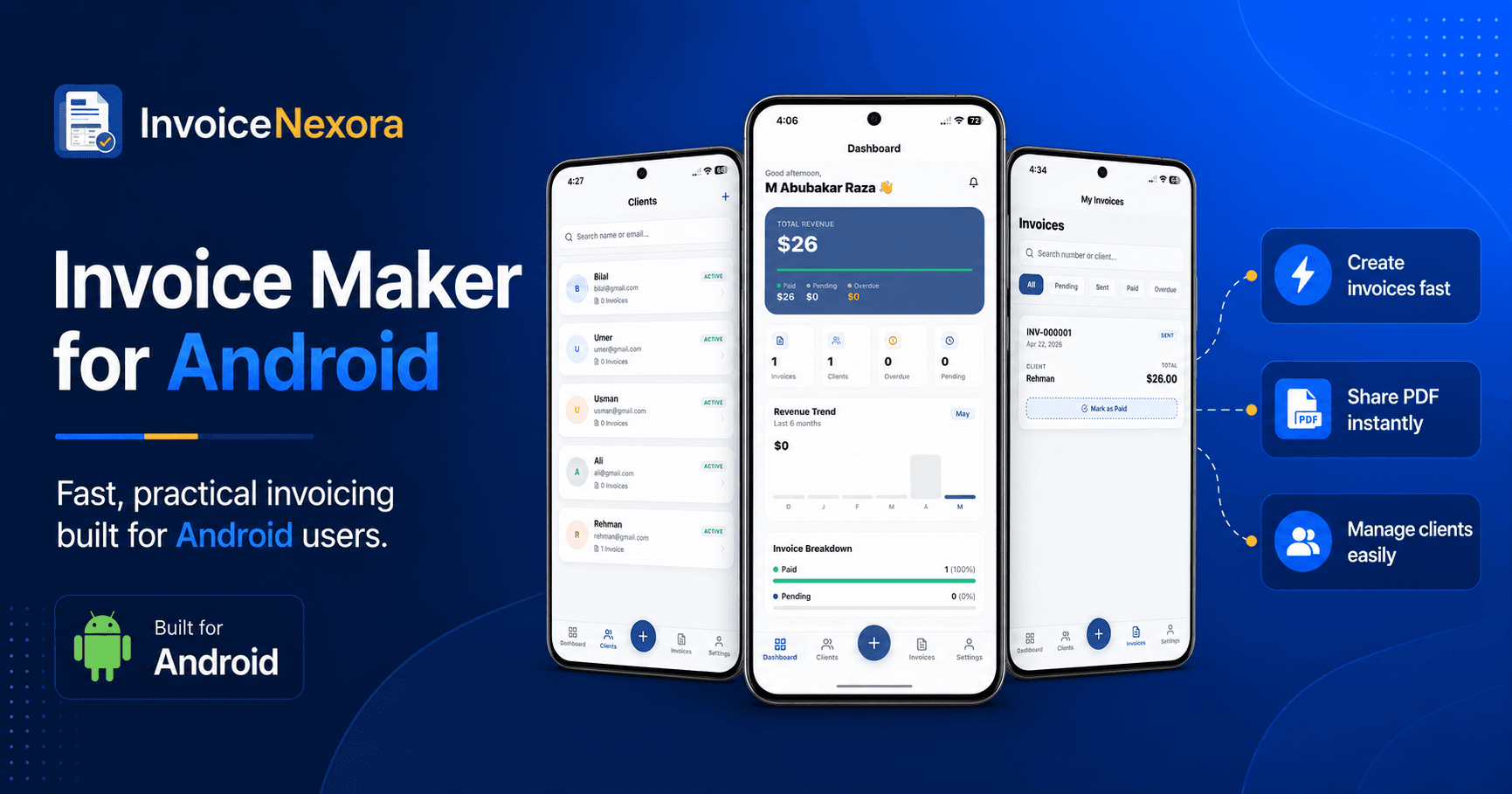
InvoiceNexora: Engineered Android-First
InvoiceNexora was designed from day one to deliver the fastest mobile invoicing experience on Android hardware. Here is what sets its Android build apart:
- Instant App Startup: Cold launch takes under 400 milliseconds, allowing you to create an invoice while chatting with a client.
- On-Device SQLite Engine: All clients, line items, and invoice drafts are stored in an encrypted local database. You can generate vector PDFs in airplane mode.
- Biometric App Lock: Protect your client billing rates and financial summaries using your device's fingerprint sensor or facial unlock.
- 100+ Currency Symbols: Easily toggle between USD, EUR, GBP, INR, PKR, PHP, IDR, NGN, and BRL with accurate regional formatting.
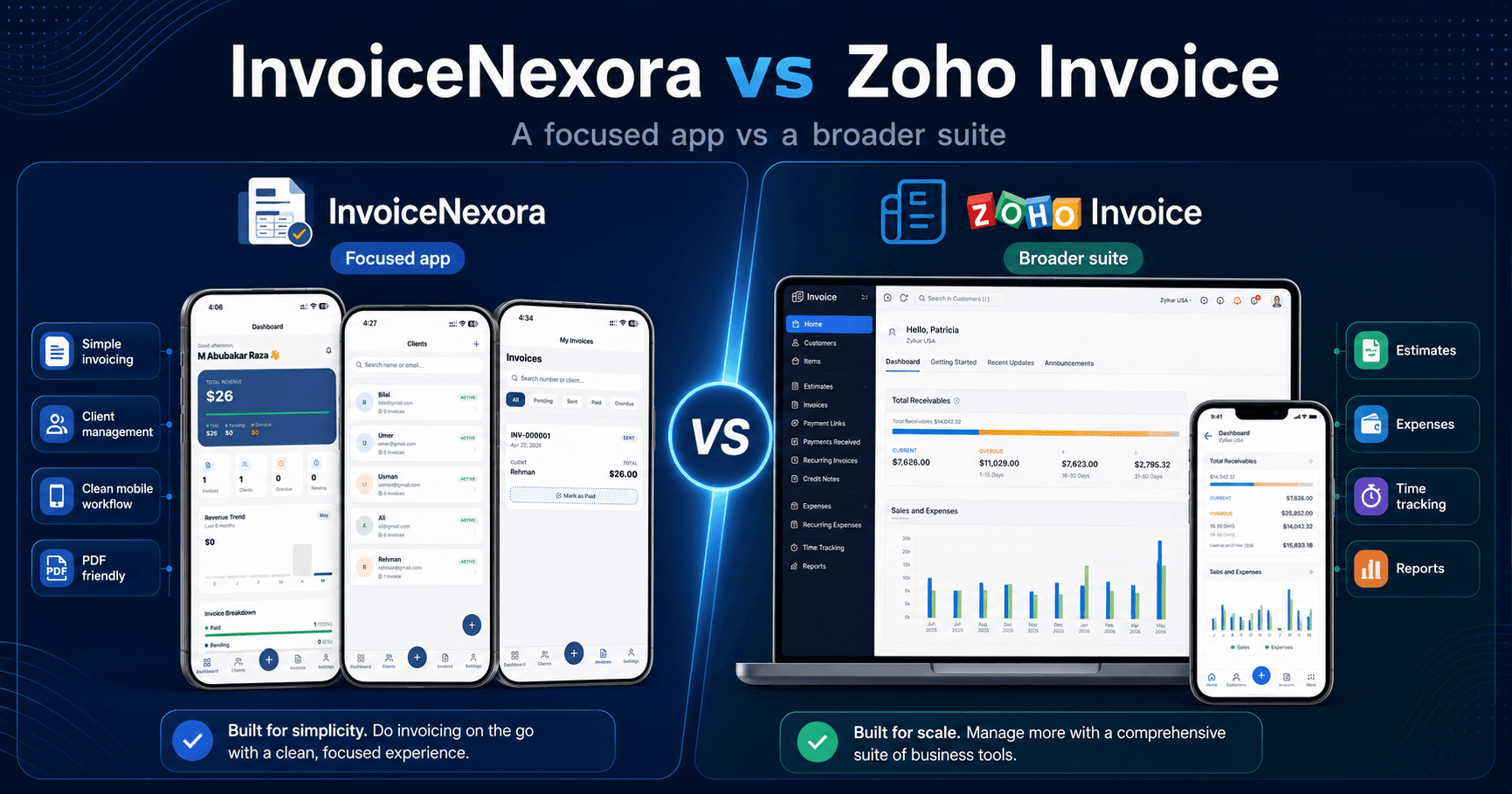
Android Invoice Apps Compared: Technical Specs
- InvoiceNexora: <20MB APK | Android 7.0+ | 100% Offline SQLite | Full Share Sheet Integration | Free Unlimited
- Invoice Simple: ~65MB APK | Android 8.0+ | Partial Offline | Cloud-centric | 3 Invoices Free then $20/mo
- Zoho Invoice: ~85MB APK | Android 9.0+ | Requires Active Sync | Custom Web Share | Free with ecosystem focus
- Bookipi: ~70MB APK | Android 8.0+ | Online Only | Basic Share | Freemium with caps
- Invoice2go: ~110MB APK | Android 9.0+ | Cloud Dependent | Standard Share | 30-day trial only
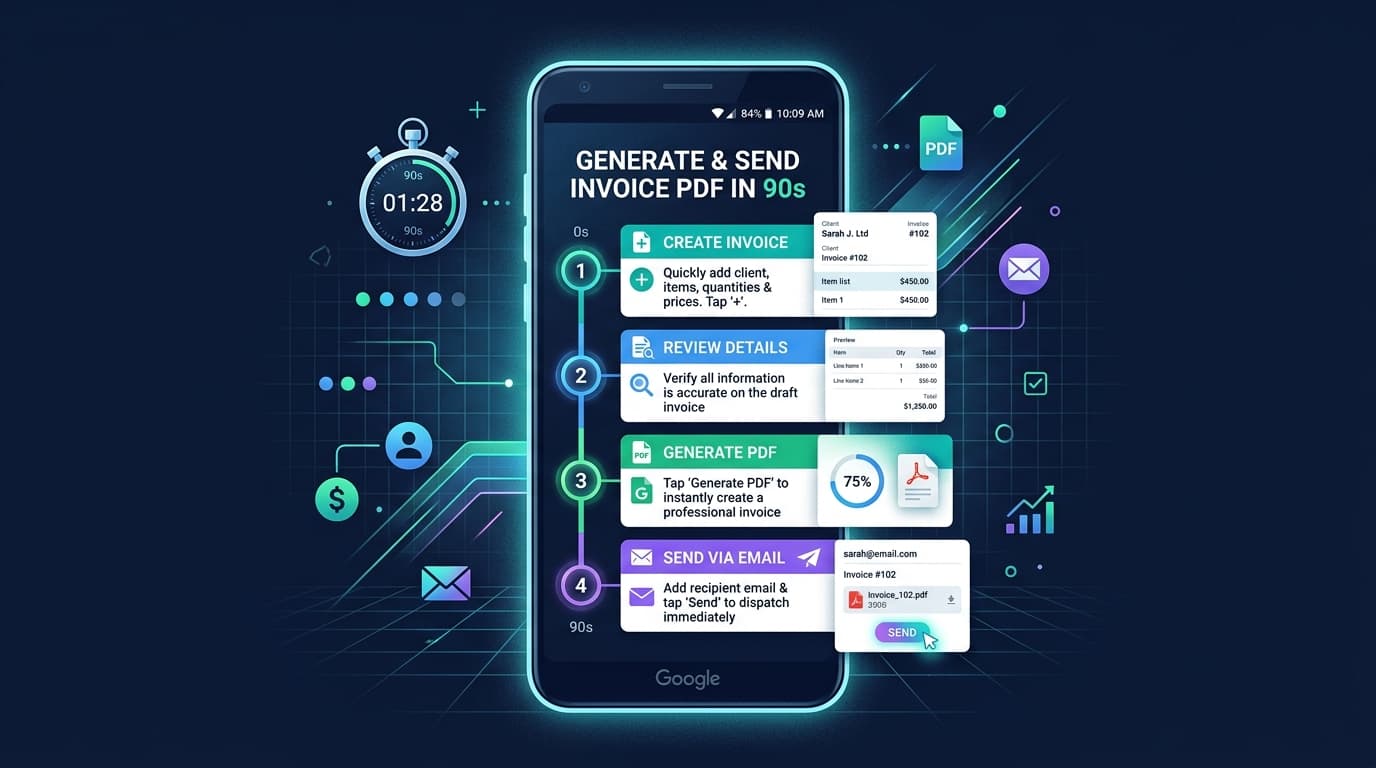
Step-by-Step: Sending Your First Invoice on Android in Under 90 Seconds
- 01Step 1: Download InvoiceNexora from Google Play and open the app (no credit card requested).
- 02Step 2: Add your business details, logo, and preferred payment instructions in Settings.
- 03Step 3: Tap '+' to create a new invoice and select or add your client name and email.
- 04Step 4: Add itemized services, set your hourly rate or project fee, and choose tax or discount options.
- 05Step 5: Tap 'Preview & Export'. Tap the Android Share icon to send the high-resolution PDF directly into your client's WhatsApp chat or email inbox.
Download the app
Send branded, professional invoices in under a minute.
Mobile-first invoicing for freelancers and small businesses. Templates, clients, multi-currency, and clear payment tracking - all from your phone. This article is only the plan. The app is the shortcut.